
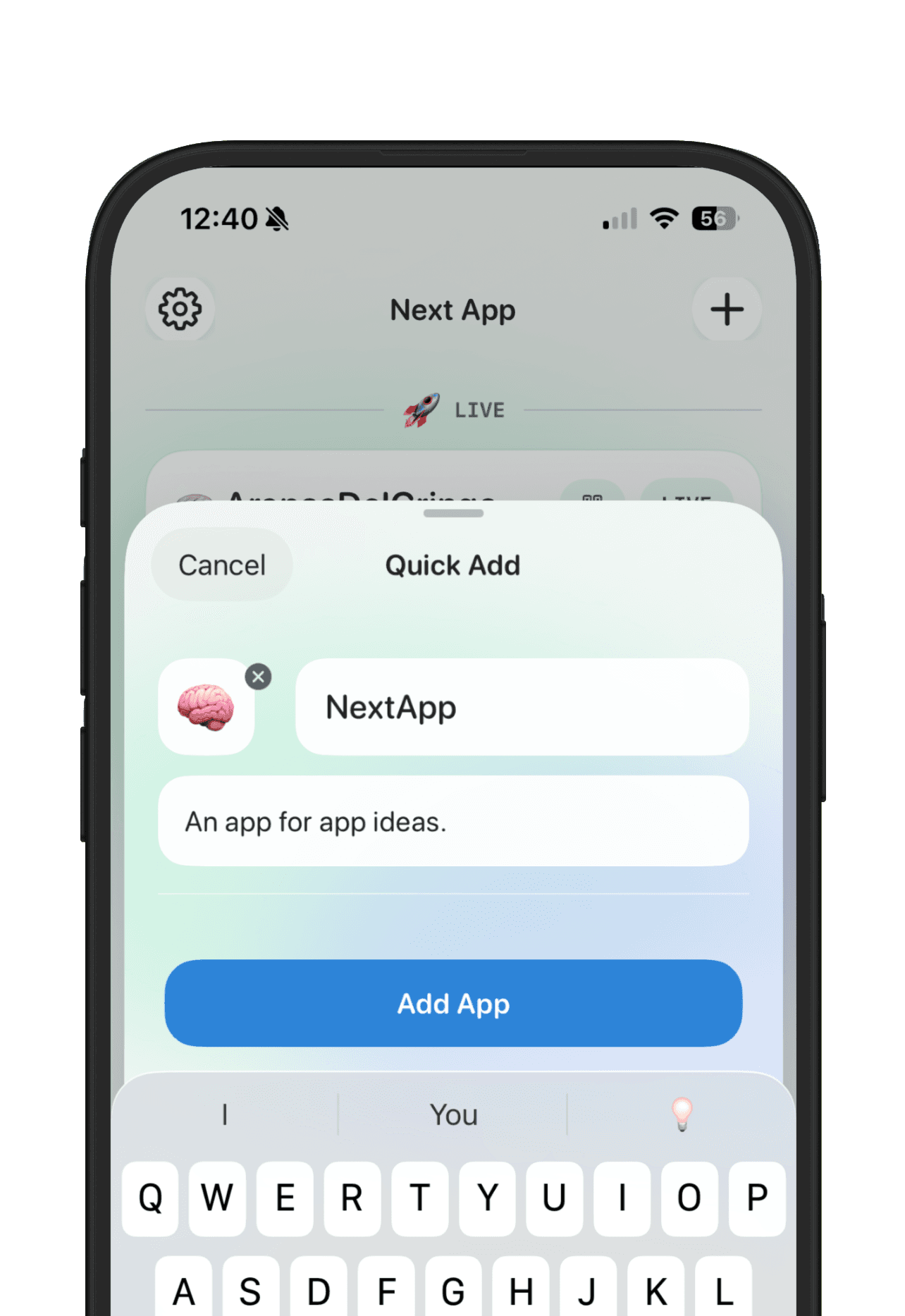
A vibe coding task board and a project tracker sound similar, but they solve different problems. A task board helps you move coding work through states like To Do, In Progress, Review, and Done. A project tracker helps you remember what each AI-built app is, why it exists, where it lives, what people said about it, and whether it deserves more attention.
That difference matters because vibe coding creates two kinds of mess. First, the work-in-progress mess: bugs, tasks, acceptance criteria, agent notes, pull requests, and unfinished fixes. Second, the app-portfolio mess: ten Lovable links, three Replit deploys, a Cursor repo, a Claude Code experiment, scattered feedback, and no clear memory of which project has real signal.
Use a task board for coding work
A task board is useful when you are actively changing code. If you work with Cursor, Claude Code, Codex, Windsurf, or another AI coding agent, the board can hold implementation tasks, bugs, dependencies, and review states. The best task-board workflow answers: what should the agent work on next, what is blocked, what needs review, and what shipped?
- Build the signup form
- Fix the empty-state bug
- Add a Stripe checkout test
- Review the generated migration
- Move the task to Done after the PR merges
This is project management for the build itself. It is especially useful when a repo has multiple tasks, multiple agents, or enough complexity that chat history is no longer a reliable source of truth.
Use a project tracker for the app record
A project tracker is useful before, during, and after the build. It should preserve the decision record: what the app is for, who should care, where the current build lives, what people said, and what you plan to do next. That record should survive even if the coding task board gets archived.
- What is the app called?
- Who is it for?
- Which builder or repo created it?
- What is the current live link?
- What feedback came in?
- Is it an idea, prototype, test, live app, paused project, or archived experiment?
This is where NextApp fits. It is not trying to replace an AI agent task board inside your editor. It is the memory layer for the app itself, especially when you are building several AI-generated projects across different tools.
Why one tool rarely covers both jobs
Task boards are optimized for movement. They want small pieces of work, owners, statuses, and completion. App trackers are optimized for judgment. They want context, evidence, links, feedback, goals, and a decision about whether the app should keep moving at all.
If you force every app idea into a task board, raw ideas start pretending to be active work. If you force every coding task into an app tracker, the app record gets buried under tiny implementation details. Separate the two layers and both systems stay cleaner.
A simple two-layer workflow
- Save the app idea in NextApp before opening an AI builder
- Add the Lovable, Bolt, Replit, v0, Cursor, Claude Code, or Base44 link after the first build
- Use a task board only when the project has real implementation work to manage
- Log user feedback and goals back on the app record
- Archive weak prototypes so they stop competing with live or testable apps
When you only need NextApp
You may not need a task board for every vibe-coded app. If the project is still an idea, a one-screen prototype, a weekend experiment, or a link you are collecting feedback on, a lightweight app record is usually enough. Track the promise, live link, feedback, status, and next decision before adding heavier process.
When you need both
Use both once the app has enough moving parts that work needs to be sequenced. NextApp can hold the product memory and public maker context. A task board can hold the coding work. The handoff is simple: the app record says why the project matters; the board says what needs to happen next in the code.
Vibe coding makes shipping faster, but it does not remove the need to choose what is worth shipping. A task board helps the work move. A project tracker helps you decide whether the work deserves another round.