
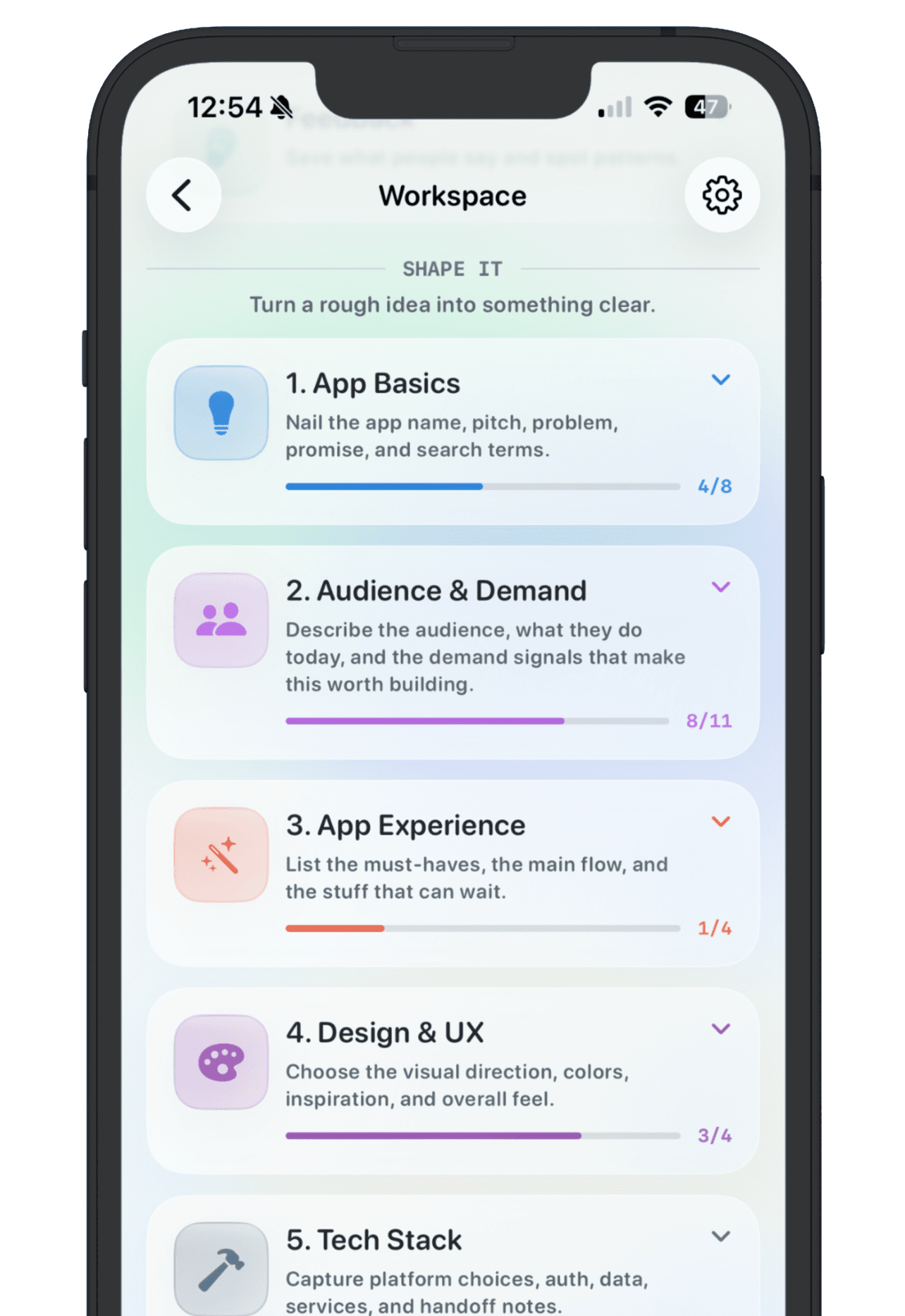
An app idea tracker template should help you make better build decisions. It should not become another place where ideas go to look organized but never move. The best version is short, repeatable, and focused on signal.
Use this structure for ideas you want to keep. You can fill it in slowly. A raw idea may only need a name and the moment that sparked it. A serious idea should eventually collect enough proof to compare against the rest of your backlog.
1. Working name
Give the idea a name even if it is temporary. A name makes the idea easier to find and easier to discuss. It also forces you to decide whether the idea is one product or several ideas bundled together.
2. One-sentence promise
Write one sentence that says who the app helps and what changes for them. Avoid feature lists here. A clear promise sounds like: Help indie iOS builders save, compare, and revisit app ideas before they start building.
3. Target user
Name the first user, not every possible user. If the first user is too broad, the product will drift. A useful target could be solo iOS developers, no-code makers building with Lovable, or founders collecting product ideas between client work.
4. Problem evidence
Save the moment that made the idea feel real. This might be a quote, a Reddit thread, a support complaint, your own repeated workflow pain, or a competitor review. Without evidence, every idea can feel equally promising.
5. First version
Describe the smallest version that could prove the idea. This is not the dream roadmap. It is the first useful release. If the first version cannot be explained simply, the idea probably needs more shaping before you build.
6. Goal
Set one goal that would make the idea worth continuing. It could be 100 users, 10 paying customers, one App Store review, or $100 in monthly recurring revenue. The number can be modest. The important part is deciding what signal matters before launch excitement takes over.
7. Feedback log
Keep reactions attached to the app idea. A feedback log lets you notice patterns instead of treating every comment as a separate emergency. Save who said it, what they reacted to, and whether it changed the plan.
8. Status
Use a status field to keep the backlog honest: Inbox, Researching, Building, Live, Paused, or Archived. Status is the bridge between a pile of ideas and an actual build queue.
A clean starting structure
- Name
- One-sentence promise
- Target user
- Problem evidence
- First version
- Goal
- Feedback log
- Status
- Links, screenshots, and notes
NextApp turns this structure into a workspace for each app idea, so the notes, goals, feedback, links, and launch context stay together. You can copy the template manually, but the real win is making the habit fast enough that you keep using it after the initial excitement fades.